
Blog
Google Search Ads for Small Businesses


Google Search Ads are text advertisements that appear at the top and bottom of Google’s search results when someone searches for a product, service or question related to your business. For a small business, the core value is simple: you reach people at the exact moment they are actively looking for what you sell, and you only pay when someone clicks. A well-built Search campaign can deliver targeted enquiries within days, but a poorly built one can burn a daily budget in hours. This guide explains how Search Ads actually work, what they realistically cost, who benefits most, how to set them up correctly, the mistakes that quietly drain budgets, and how to judge whether an agency or freelancer is worth hiring. If you want broader context, the Wikipedia entry on Google Ads covers the platform’s history and structure.
If you would like hands-on help, the specialists at ngnetworksit.com support small businesses with Google Ads account setup, keyword research and campaign management. 🌐 Website
Table of Contents
- What Are Google Search Ads?
- Why Search Ads Matter for Small Businesses
- How the Google Ads Auction Works
- Campaign Types and Ad Formats
- Realistic Benefits (and Limits)
- Costs and Pricing Factors
- How to Set Up a Campaign: Step by Step
- Tracking: The Part Most Businesses Skip
- Common Mistakes to Avoid
- Real-World Example
- How to Choose an Agency or Freelancer
- Pre-Launch Checklist
- Important Facts to Know
- Frequently Asked Questions
- Sources and Further Reading

What Are Google Search Ads?
Search Ads are pay-per-click (PPC) advertisements served on Google’s search results pages. They are triggered by keywords: the words or phrases a potential customer types into the search box. When a search matches the keywords you have bid on, your ad may enter the auction and appear in the ad slots above the organic listings, below them, or in the shopping and map areas depending on the format.
A typical Search ad contains three parts: a headline (up to 30 characters each, in responsive search ads), a description line, and ad assets such as sitelinks, callouts, a phone number, a location or a price. Google assembles these elements dynamically, so the same campaign can produce many different-looking ads. What separates Search Ads from social media advertising is intent. A person scrolling a feed is interrupted; a person typing “emergency plumber near me” or “accounting software for small business” is asking a question they want answered now. That intent gap is why Search Ads often convert at higher rates than display or social campaigns for commercially driven businesses.
Why Search Ads Matter for Small Businesses
Most small businesses cannot outrank large competitors organically for commercial keywords, and search engine optimisation (SEO) takes months to produce results. Search Ads compress that timeline. Other practical reasons small businesses use them include:
- Immediate visibility for new businesses that have no website authority yet.
- Geo-targeting, so a neighbourhood service business can show ads only to people within a defined radius of its service area.
- Budget control — you set a daily budget and can pause or adjust it any time, unlike a printed flyer or a fixed contract.
- Measurable return — every click, call and enquiry can be counted and tied to spend, which is rarely possible with offline advertising.
- Testing demand — a small campaign can quickly reveal which services, phrases or offers people actually search for before you invest in a website redesign or new service line.
Search Ads are not for everyone. If your buyers never search online for what you sell — for example some referral-only trades, hyper-local word-of-mouth services, or products sold exclusively through distributors — the money may be better spent on reviews, referrals or local directories. A useful test before spending: search your own keywords and see whether your competitors are advertising, and ask a few customers how they found you.
How the Google Ads Auction Works
Every search triggers an auction. Google does not simply sell the top spot to the highest bidder. Your ad’s position and whether it appears at all depend on Ad Rank, which combines your bid, your ad’s expected performance (Quality Score), the search context (device, location, time, language) and the expected impact of your ad extensions and formats.
Quality Score has three components: expected click-through rate, ad relevance to the search query, and landing page experience. Practically, this means a smaller advertiser with a tight, relevant keyword list and a fast, useful landing page can beat a larger competitor that bids high but sends traffic to a generic homepage. You usually do not pay your full bid; you pay the minimum amount needed to hold your position, typically the Ad Rank of the advertiser below you divided by your Quality Score, plus one currency unit.
Keywords also come with match types that control how strict the matching is: broad match (loosely related searches), phrase match (searches containing your phrase, in order or with words around it), exact match (very close variants of the phrase), and negative keywords (terms you explicitly exclude, such as “free” or “jobs”). Choosing match types correctly is one of the fastest ways to control cost.
Campaign Types and Ad Formats
| Format | Best For | Important Consideration |
|---|---|---|
| Standard Search (responsive search ads) | Most small businesses selling services or products online or locally | Requires a website or landing page; you supply headlines and descriptions Google combines automatically |
| Local / business profile ads | Tradespeople, clinics, shops and restaurants with a physical service area | Runs off your Google Business Profile; some formats need no website |
| Performance Max | Businesses with conversion tracking and a product catalogue | Spreads budget across Search, Maps, YouTube, Display and Gmail with less keyword control |
| Search with location extensions | Service businesses covering multiple suburbs or postcodes | Radius targeting prevents wasted spend outside your travel area |
For most small businesses, a focused Search campaign with sitelinks, call and location extensions is the correct starting point. Performance Max is powerful but can hide where budget is being spent, so it suits businesses that already track conversions accurately.
Realistic Benefits (and Limits)
What Search Ads can genuinely do: place you in front of high-intent buyers immediately, control spend tightly, target by geography and time of day, generate measurable calls and form submissions, and provide market data about search demand. What they cannot do: guarantee a first-page position, fix a weak offer or an unconvincing landing page, or produce profit if your cost per acquisition exceeds what a customer is worth to you. Treat any promise of “guaranteed top ranking” or “unlimited clicks” as a warning sign — ad position is auction-driven and no one controls it.
Costs and Pricing Factors
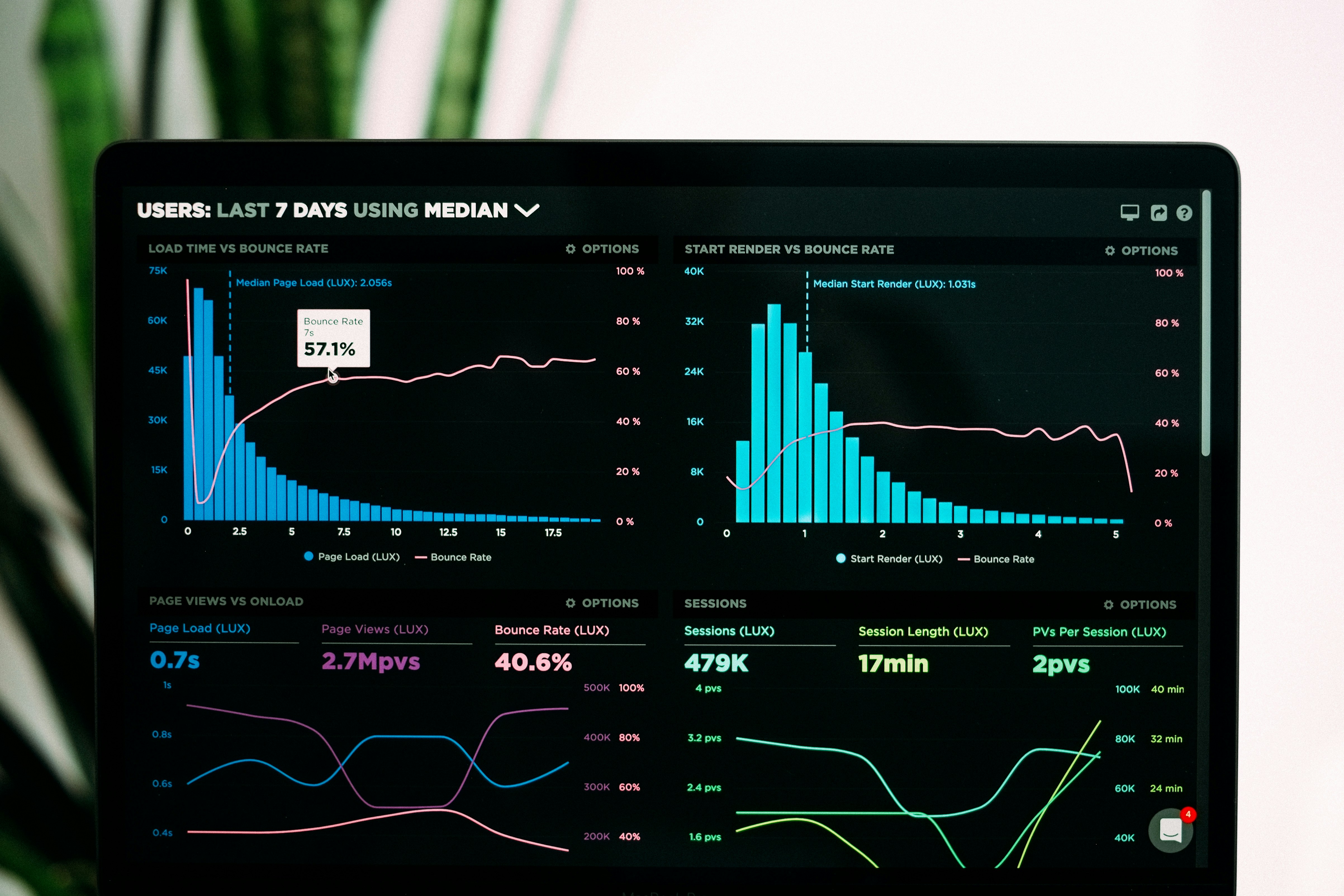
You set your own budget; there is no minimum spend for most campaigns, and many small businesses begin with the equivalent of a few hundred currency units per month. What you actually pay per click is driven by:
- Keyword competition — heavily commercial terms (insurance, legal, loans, real estate) can cost several dollars per click, while niche or long-tail phrases may cost pennies.
- Location and language — bids rise in affluent or densely served markets.
- Quality Score — better relevance lowers the effective cost per click.
- Match type and negative keyword coverage.
- Time of day and device — bid adjustments can raise or lower spend.
- Management fees — if you hire help, expect either a flat monthly fee or a percentage of ad spend; ask exactly what is included.
Because costs vary this widely, compare agencies on expected cost per lead and reporting, not on an advertised “package price”.
How to Set Up a Campaign: Step by Step
- Define one goal — calls, bookings, quotes, or purchases. One clear goal per campaign keeps optimisation simple.
- Research keywords with Google’s Keyword Planner and your own search term ideas; separate branded, service and generic keywords into different ad groups.
- Write responsive search ads with distinct headlines that include the keyword, a benefit and a call to action, and avoid duplicate headline meanings.
- Add extensions — sitelinks, call, location, and relevant callouts.
- Build a dedicated landing page that matches the ad’s promise, loads quickly, works on mobile and has one clear action.
- Set location, schedule and budget; exclude irrelevant regions and, where relevant, set bid adjustments.
- Install conversion tracking before launch, then launch and review the search terms report weekly.
Google’s official Google Ads Help centre walks through campaign creation and conversion setup, and the Google Ads dashboard is where budgets and bids are managed.
Tracking: The Part Most Businesses Skip
Clicks are not customers. Without conversion tracking — a form submission, a phone call, a purchase or a chat inquiry — you cannot know which keywords are profitable, and budget decisions become guesswork. Use Google’s tag or Google Tag Manager, enable call tracking where the phone is your main channel, and record offline outcomes (jobs booked, jobs won) so cost per acquired customer, not cost per click, drives decisions.
Common Mistakes to Avoid
- Sending all traffic to the homepage instead of a page specific to the service advertised.
- Using only broad match keywords without search term monitoring, which triggers unrelated searches.
- Ignoring negative keywords such as “free”, “DIY”, “cheap”, “jobs” or “how to”.
- No conversion tracking, so the campaign is unmeasurable.
- Setting a budget and forgetting the account — auctions, seasons and competitors change.
- Targeting too wide an area and paying for clicks from people you cannot serve.
- Keyword stuffing headlines that ignore the actual question in the search.
- Judging results too early — allow at least two to four weeks and enough conversions before major changes.
Real-World Example
Example (hypothetical): A two-person HVAC repair company in a mid-sized city spent 400 currency units per month on Search Ads. They created separate ad groups for “air conditioner repair”, “heating service” and “annual maintenance”, used phrase and exact match, added a call extension and a 10-kilometre radius, and built one landing page per service with an online booking form and a click-to-call button. Within six weeks, 42% of clicks came from mobile, so they raised the mobile bid adjustment slightly and added after-hours call handling. By reviewing the search term report, they added 28 negative keywords that had been wasting about 11% of spend. Their cost per booked job fell from roughly 55 to 31 currency units, while impressions stayed similar — the improvement came from relevance and tracking, not from spending more.

Need help structuring your account or setting up conversion tracking? The Google Ads team at ngnetworksit.com offers campaign setup and ongoing management for small businesses. 🌐 Website
How to Choose an Agency or Freelancer
| Factor | What to Look For | Why It Matters |
|---|---|---|
| Transparency | Access to your own Google Ads account; itemised reporting of spend, clicks and conversions | You should always own and be able to log in to your account |
| Experience in your sector | Examples from similar industries and service areas | Keyword and competitor knowledge transfers directly into lower costs |
| Fee structure | Clear explanation of management fee vs ad spend; notice period | Prevents surprise costs and makes comparison possible |
| Tracking discipline | Asks about your goal, value per customer and call handling before quoting | Shows they optimise for outcomes, not clicks |
| Communication | Defined review cadence and a named contact | Campaigns need regular adjustment, not monthly silence |
| Claims | No guaranteed top positions or fixed return promises | Auction results cannot be guaranteed; promises signal inexperience |
Ask three questions before signing: Which account will I have access to?, How will we measure a successful month?, and What happens if we pause the campaign?
Pre-Launch Checklist
- Goal and success metric defined (calls, bookings, sales)
- Conversion tracking installed and tested
- Keywords grouped by theme with match types set
- Negative keyword list added
- Responsive ad copy with at least three distinct headline ideas
- Sitelink, call and location extensions configured
- Dedicated, mobile-friendly landing page matching the ad promise
- Location radius and ad schedule set
- Daily budget and shared/campaign total limits set
- Weekly review reminder created for search term and budget checks
Important Facts to Know
- Fact: Google Ads is an auction, so ad position depends on bid, quality and expected impact — not price alone.
- Fact: Expanded text ads have been retired; responsive search ads are now the standard Search format, so ad copy is supplied as flexible headlines and descriptions.
- Fact: There is no universal “average CPC”; cost per click depends on industry, geography, competition and Quality Score.
- Fact: You can advertise with a Google Business Profile for local formats, but most Search campaigns require a functioning website or landing page.
- Fact: Policies apply to regulated categories (finance, health, legal, alcohol, gambling); eligibility and restrictions change, so verify with Google’s current policy pages.
Frequently Asked Questions
How much does a small business need to spend on Google Ads?
There is no minimum, but the practical answer is: enough to generate a statistically useful number of clicks. If a keyword costs 2 currency units per click, a 300-currency-unit monthly budget yields about 150 clicks. Estimate your conversion rate and the value of each customer before deciding; a campaign that cannot produce a handful of conversions per month cannot be optimised reliably.
How quickly do Search Ads produce results?
Impressions and clicks usually begin within hours. Meaningful data for optimisation typically requires two to four weeks and 15–30 conversions, depending on volume. Seasonality and competitor activity also influence early results.
Do Search Ads help SEO?
No direct ranking benefit — ads do not improve organic positions. However, search term reports reveal exactly what customers type, which can inform your SEO content and service pages. Many small businesses run ads for immediate leads while SEO compounds in the background.
Should I bid on my own brand name?
Often yes, and cheaply. Brand-name clicks are usually low-cost and protect against competitors advertising on your business name, though check whether organic results already satisfy that intent.
Can I run Search Ads without a website?
Some local formats can run from a Google Business Profile, but most Search campaigns need a landing page. A simple one-page site with clear contact details is usually sufficient to start.
What is the difference between Search Ads and Performance Max?
Search campaigns show text ads on search results and give you keyword-level control. Performance Max distributes budget across Google’s inventory (Search, Maps, YouTube, Display, Gmail) using signals and assets, and needs accurate conversion tracking to work well.
When should I consider hiring someone to manage the account?
When you lack time for weekly optimisation, when spend is large enough that errors are costly, when you sell high-value services where one lost enquiry matters, or when you need conversion tracking and reporting set up properly.
Sources and Further Reading
- Google Ads Help — Get started with Google Ads
- Google Ads Help — Set up conversion tracking
- Google Ads dashboard
- Google Keyword Planner
- Google Business Profile
- Wikipedia: Google Ads
Note: advertising costs, policies and ad formats change frequently. Confirm current rules and prices inside your Google Ads account or Google’s policy pages before committing budget.
Need Professional Help?
If you would like support with campaign setup, keyword research, landing pages or ongoing management, the Google Ads specialists at ngnetworksit.com work with small businesses on transparent, measurable campaigns.
Follow Us
Visit https://ngnetworksit.com/ for more digital marketing guides and updates.
[Google Search Ads for Small Businesses]